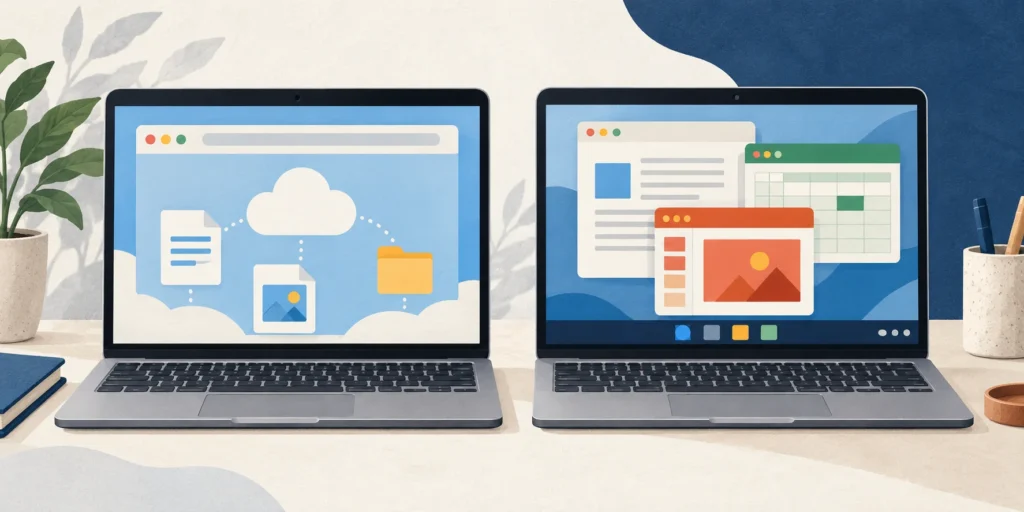
A Chromebook is a type of laptop running ChromeOS. The useful comparison is with Windows or macOS laptops, especially the apps, offline tasks and update life you need.
A Chromebook is a type of laptop, running ChromeOS. When people ask “Chromebook or laptop?”, they usually mean a Chromebook versus a Windows laptop or MacBook. The main practical difference is which operating system and apps your work needs, rather than the fact that both have a screen and keyboard. [1][2]
Here, “other laptop” means a Windows or macOS laptop. Other operating systems exist, and hardware varies within all these groups. Neither label guarantees a particular price, speed, battery life or screen quality.
ChromeOS versus Windows or macOS: practical checks
Use the web versions; Windows/Mac desktop Office cannot be installed. [2]
Can use the corresponding Windows or Mac desktop Office version, subject to its requirements. [2]
Offline work
Selected tasks and files can work offline after suitable preparation. [3]
Depends on the exact installed app and the availability of the file; a web-only workflow still needs checking. [2][3]
File storage
Can work with local files as well as online storage. [1]
Storage and app arrangements depend on the chosen device and workflow.
Update check
Check the model’s ChromeOS update schedule in Settings. [4]
Check support for the installed operating system and required app version.
Shared point: compatibility
A file opening successfully does not prove every required desktop function is available. [2]
Check the exact required app and version here too. [2]
The app name is not the whole requirement
Word, Excel and PowerPoint can be accessed through their web versions on a Chromebook. That is useful, but it is a different route from installing the Windows or Mac desktop package. A requirement for a particular desktop application cannot be settled by saying that a device “has Office”. [2]
For example, if a workplace explicitly requires Windows desktop Excel, a Chromebook does not meet that requirement simply because it can open an Excel file in a browser. Ask which application version the workflow needs. The same care applies to a Mac when the requirement specifically names the Windows version. [2]
Do not plan around installing Android Office as an alternative: the current Chromebook guidance for Microsoft 365 says the Android versions of Office and several related apps are not supported on Chromebooks. Use the supported web route where it meets the task. [2]
A worked example: an essay on a train
Suppose your task is to edit an essay in Google Docs during a journey without reliable Wi-Fi. A Chromebook can be suitable, but prepare the actual document for offline use before leaving. Open it, disconnect from the internet, make a harmless edit and check that the task works. “I could see the document online yesterday” is not an offline test. [3]
If the journey instead involves a task that requires Windows desktop Excel, successful offline essay editing proves nothing about that second task. One device can suit the first workflow and fail the second. Start with the most restrictive required app, then consider offline access and hardware. [2][3]
Choose by the task, not the shape of the computer
Exact app: web version, Windows desktop version or Mac desktop version?
Offline task: can that app open and edit the actual prepared file without a connection?
Device support: does the model have a suitable remaining update period?
Passing one check does not answer the others. [2][3][4]
Check the remaining update period
On a Chromebook, go to Settings → About ChromeOS → Additional details → Update schedule to find the model’s update information. Do not assume an unopened box means a fresh full support period from the day you buy it. [4]
After the final automatic update, the device no longer receives subsequent ChromeOS and browser updates under that schedule. That makes the actual model date useful information when comparing a new or used device, alongside whether its apps meet your needs. [4]
Test the common assumptions
Does opening a .docx file prove desktop Word is installed?
No. Web apps can work with documents too. On a Chromebook, the supported Microsoft 365 route is through the web, not installation of Windows or Mac desktop Office. [2]
Does no Wi-Fi make a Chromebook useless?
No. Certain apps, documents and local files can be used offline. Prepare the exact task and test it before relying on it. [1][3]
Does a newly bought Chromebook automatically have a full support period starting today?
No. Check that model’s update schedule rather than inferring its remaining support from the purchase date or sealed packaging. [4]
Frequently asked questions
Can a Chromebook store files on the device?
Yes. Online storage is not its only option; local files can also be used. Whether a particular offline task works still depends on the app and file involved. [1][3]
Sources
Source pages checked on 21 October 2026. The examples and self-checks were written for this article with AI assistance and checked against the listed material.
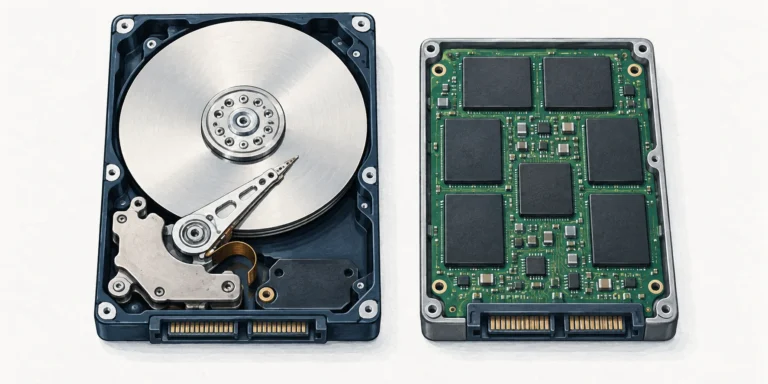
An HDD stores data on spinning magnetic platters; an SSD uses electronic flash storage. That changes access time and mechanical behaviour, but compatibility and copy speed need separate checks.
OLED pixels make their own light; conventional QLED TVs use a quantum-dot LCD panel with an LED backlight. QD-OLED and Mini LED explain why the labels need careful reading.
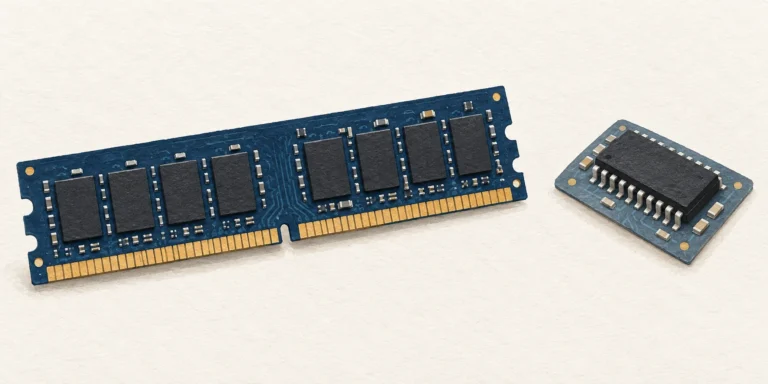
RAM is a computer’s writable working memory, usually losing its contents without power. ROM-family memory retains firmware or other data; some types can be deliberately reprogrammed.